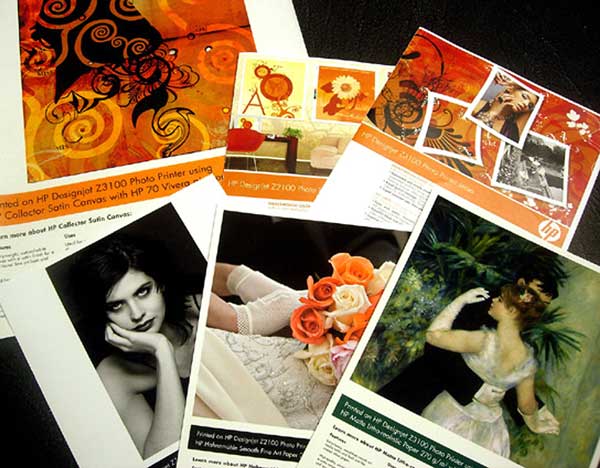
 Photo 1
Thermal inkjet using pigment inks prints fine art and photographic media on HP Z series, Canon PROGRAF iPF series and others.
I began this two part series by discussing photos because most photos today are digital. It is also true that most fine art prints are inkjet and may also qualify as giclée. Both are very common for today's framer and both need to be identified prior to determining the mounting process for them. But there is still more to the story.
Giclée fine art images are all digitally captured, color calibrated, corrected and sized prior to printing to fine art paper. They evolved from a proofing system for traditional lithographic printing presses when it became apparent that the presses were having a hard time delivering the equivalent end product image quality and brilliant color of the giclée proofs. Giclées have become the hottest printing medium and are coveted by collectors for their fidelity and quality. Galleries and artists like them because of their print-on-demand capabilities, in-house control, and limited inventory requirements. Today's giclées may also be printed to a variety of ink receptive substrates including canvas, silk, vinyl, bamboo, acrylic, and aluminum composite allowing for a variety of display possibilities. Soft silk and vinyl may be suspended by rods, canvas may be stretched or mounted and the rigid printing media are designed to be their own substrate often exhibited using stand-offs or lifters. Fine art photo stock may require flat mounting to acrylic or aluminum composite for frameless display.
Epson wide format piezo printing currently dominates the in-studio and print-on-demand market for much fine art. This is not to say that other manufacturers do not print fine art giclée, it is just they are not the most common. HP-Z series and Canon iPF series thermal inkjet pigment printers are also popular for fine art and all of these may be safely dry mounted (photo 1).
Photo 1
Thermal inkjet using pigment inks prints fine art and photographic media on HP Z series, Canon PROGRAF iPF series and others.
Digital Canvases
Digital images come from scanned art images translated into data that is stored in a computer until needed, so they are prints and considered replaceable. When digital canvases first hit the scene they were usually stretched but the practice of mounting them to a rigid substrate is becoming more the norm. Inkjet canvases are often coated allowing them to be pulled and twisted during stretching, but it also depends on the quality of the materials and the printing technology (photo 2). Although digital canvases will tolerate the heat of dry mounting, not all dry mount adhesives nor pressure-sensitive ones will firmly bond digital canvases. Bainbridge Heat Activated Foam, and Drytac GicleeMount film are the top performers for dry mounting, while Bainbridge Self Adhesive Foamboard, Elmer's Quick Stick HT, Drytac P-S Boards and Drytac Media-Tac film create the strongest bond of the pressure-sensitive products.
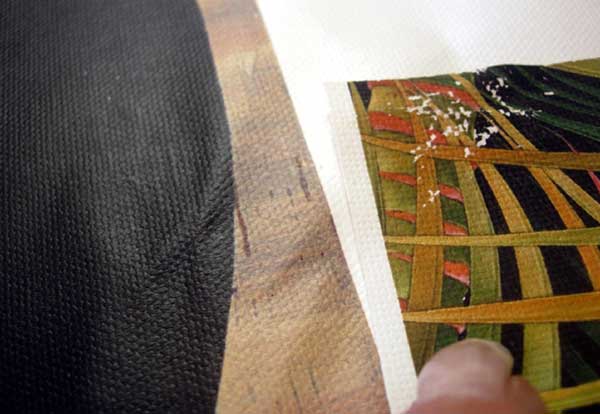 Photo 2
Inkjet giclée (L) shows not cracking or flaking when worked, while mismatched inkjet materials often result in lesser quality with possible cracking, flaking or damage when stretched (R).
Solid, Solvent and UV Curable Inks
A few final words on inkjet before leaving this category, and all three of these are piezo technologies. Piezo—Micropiezo, piezo electric—aqueous inkjet prints are all heat tolerant. But solid ink—phase change—is like a solid wax sticks that is liquefied to be sprayed then re-solidifies, so it is very heat sensitive and should never be treated with any heat (photo 3).
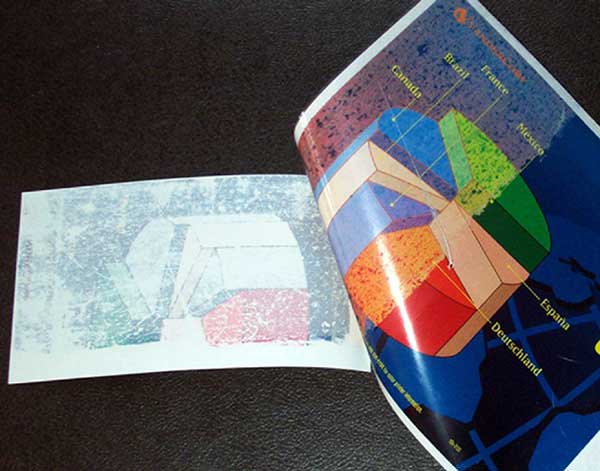 Photo 3
Solid wax stick to liquid to solid makes this inkjet very heat sensitive. This mounted image has melted onto the release paper.
Solvent inks do not need special coatings because they are waterproof, extremely durable and resistant to ultraviolet light, making them highly suitable for out-door use. Though not commonly framed, there are exceptions to that and they may be sensitive to silicone damage from release papers if dry mounted though they do tolerate heat and lamination (photo 4).
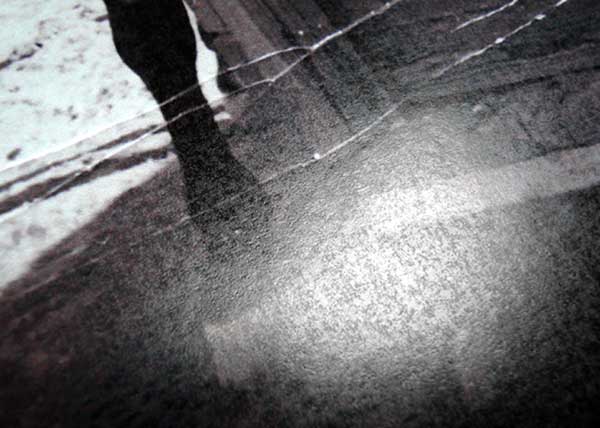 Photo 4
Sensitivity to heat and/or release paper silicone shows mottling of the ink surface.
UV Curable inks are used dominantly in large signs and billboards and other outdoor installations. By irradiating UV light, the ink polymerizes and firmly fixes onto materials. Inks do not contain VOCs (Volatile organic compounds), are environmentally-friendly, and able to directly print onto plastics and nonabsorbent materials.
Thermal Transfer
A dye-sublimation printer employs a printing process that uses heat to transfer dye onto materials such as plastic, paper or fabric. The name comes from the inks being transformed, or sublimed, from a solid into a gas without going through a liquid stage. It is also referred to as dye diffusion and dye transfer. Most dye-sublimation printers use CMYO (Cyan, Magenta, Yellow, Overcoating) colors rather than CMYK colors where the black dye is eliminated in favor of a clear overcoating. This overcoating is stored and applied as a thin laminate which protects the print from discoloration, UV light, pollution, and makes the print water-resistant.
Dye-sublimation printing is a continuous-tone technology where each dot can be any color. In contrast, inkjet printers can vary the location and size of ink droplets but each drop of ink is limited to the colors of the inks installed. Consequently, a dye-sublimation printer appears much like a solid tone chemical photograph and under magnification the individual droplets of an inkjet may be seen.
They are often found as free standing kiosks at drug stores and allow you to crop, alter, or ad borders to your image prior to printing (photo 5). Common desktop dye sub printers include Epson R1900, Canon, Kodak-Easy Share, FujiASK, Sony, and Mitsubishi Electric.
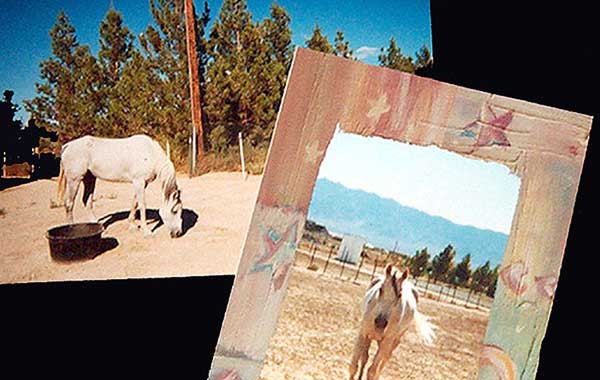 Photo 5
Borders as this one are common with these photos, which are heat and laminate safe.
Electrophotography/Electrostatic Printing
Digital printing was born in 1978 with the introduction of the IBM and Xerox copiers. In 1993, Indigo launched digital color presses. Today, digital photo albums and book publishing have become commonplace with HP Indigo, Xeikon, Xerox and Kodak all offering digital presses. Ten years ago, electrophotography was the only viable digital printing technology available.
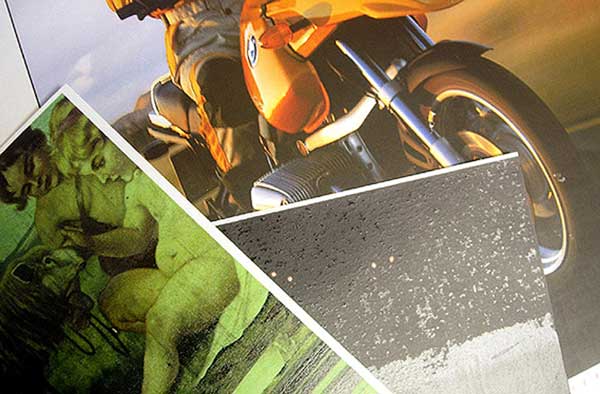 Photo 6
Dry toner laser prints are very susceptible to damage under heat (R).
Dry Toner - Laser Printers
Electrophotographic and electrostatic copies are easy to spot, as they are on 8-½"x11" thin 22-26# copier papers and have been copied from an existing sheet. Dry toner images from either B&W or color laser printers are very heat sensitive and even at 150°F are damaged by dry mounting (photo 6). Heidelberg Digital Presses, aka Digital Imagers, are offset presses using waterless inks called toner. Since digital files are sent to the press as computer data, the files are registered in perfect alignment allowing for prints to paper, canvas, photo paper, without moving it. There are open edition prints and digital canvases that are being printed-on-demand using digital offset presses. They are heat and laminate sensitive (photo 7) and although laminates are considered repositionable if peeled from a dry toner print can lift the pigment from the page (photo 8).
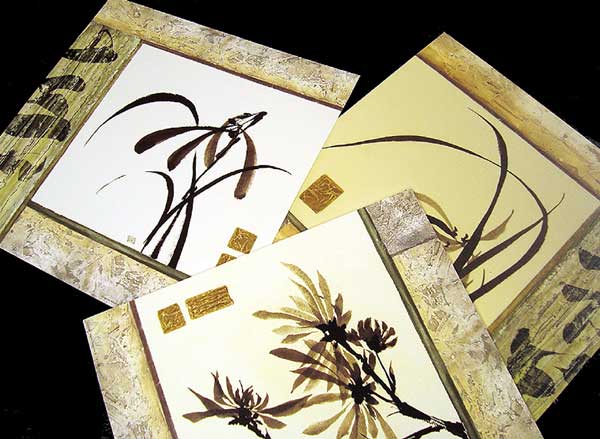 Photo 7
Heidelberg offset digital press open edition prints are heat and laminate sensitive (TL) unmounted original; (B) mounted shows mottled coloring in crème background; (R) yellowed by vinyl heat laminate.
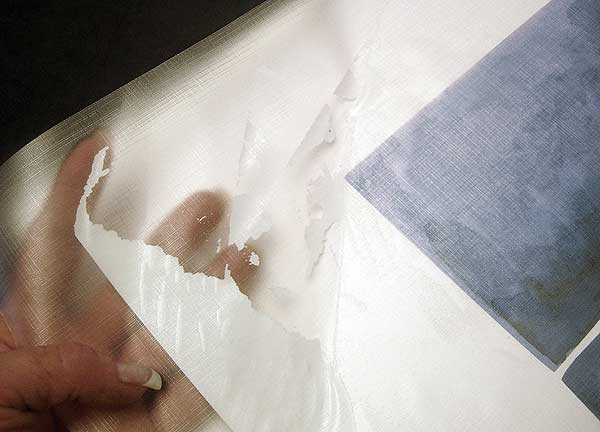 Photo 8
Toner was lifted from print when laminate was repositioned.
Liquid Toner - Laser Printers
Large scale color digital presses—HP Indigo, Mitsubishi, Ricoh use liquid toners and are used by commercial photo labs, book printers, and for industrial scale graphic prints and images (photo 9).
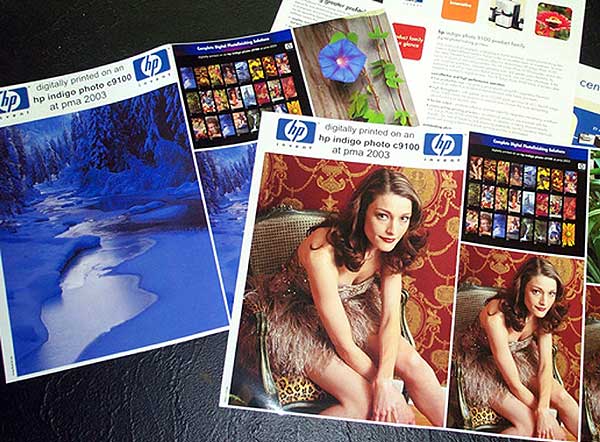 Photo 9
Liquid toner Indigo photos used by commercial labs for schools and advertising.
Plotters
Electrostatic plotters print commands from a computer to produce charts, drawings, maps, sepias, diazo prints, and blueprints on paper and unlike a regular printer, the plotter can draw continuous point-to-point lines directly from vector graphics files with one or more automated pens using positively charged toner. These are used by architects and engineers for schematic drawings, are heat tolerant and may be laminated (photo 10).
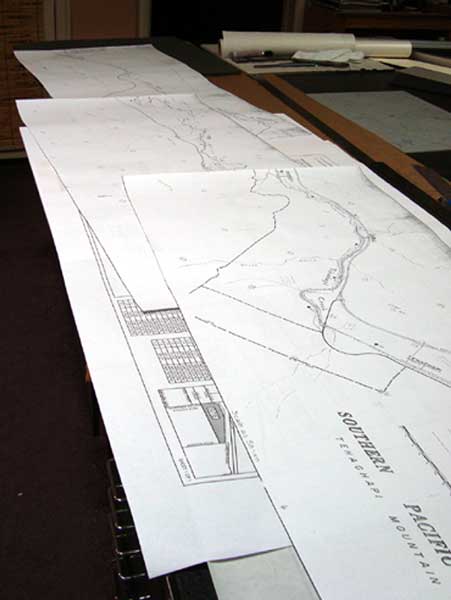 Photo 10
Blueprint is 24"x9' long and is ready to mount and laminate for permanent display.
Digital Umbrella
The digital umbrella encompasses printing technologies from dry toner to photo chemicals. Though inkjet may be what we are most familiar with all of them will be items—some fine art—that a framer has to deal with. Most catalogue pages are electrophotographic color laser copies—heat sensitive; photos could be RA-4, dye sublimation, or electrostatic liquid toner (Indigo)—all heat tolerant; or a digital canvas could be either a piezo inkjet (Epson Stylus Pro)—heat tolerant—or electrostatic offset digital press (Heidelberg Press)—heat sensitive. Bottom line is they are nearly impossible to tell apart.
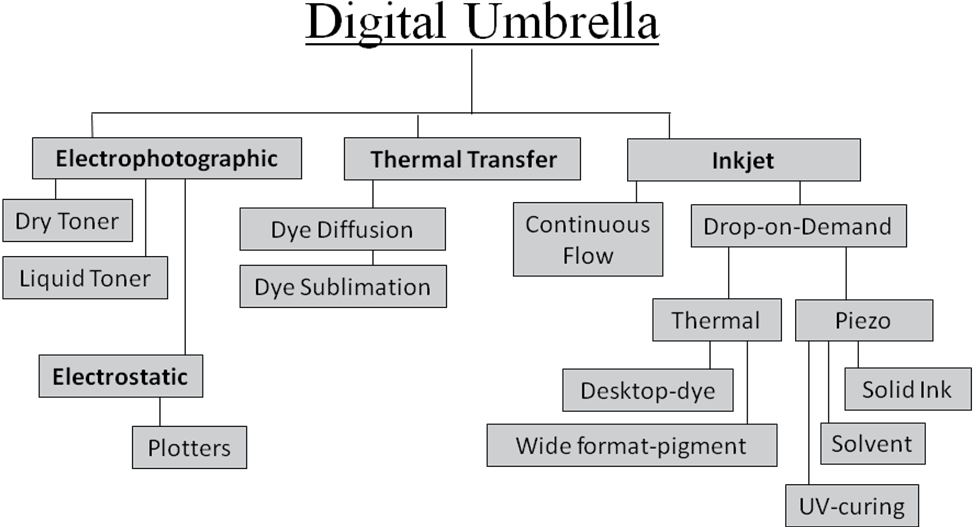
By asking questions to identify the printer, the technology and/or process may be identified. Then manufacturer information may be found online and assorted mounting guides may be referenced for advice on suggested mounting techniques. Keep in mind there are both invasive and non-invasive mounting methods. Any method that involves adhesive absorption that cannot be removed is considered invasive regardless of the neutrality and stability of the adhesive.
Tips and Warnings
Make certain that any digital image has had two weeks of dry down time to allow the image to fully cure—dry out. Enclosing an uncured image may ghost onto the inner side of the glass as it dries. Epson suggests laying bond paper on top of their prints for 24 hours to absorb moisture. Trade out wavy sheets—indicating moisture—until dry. It's easier just to wait two weeks.
If you have no indications at all what type of technology the art is do not subject it to heat. Use a preservation hinging technique or pressure-sensitive mounting method. The dry down period should be honored even with P-S mounting.
There are sources to help you.
Suggested Mounting Guide, pages 162-163, in The Mounting And Laminating Handbook, 3rd Edition, 2008, available PFM PubCo gives P-S and HA mounting recommendations for all kinds of digitals.
An updated version of this chart—with additions—is also available as a pdf download here.
There is also a heat activated, pressure-sensitive, film adhesive comparison chart available here."
END
Copyright © 2011 Chris A Paschke
For more articles on mounting basics look under the mounting section in Articles by Subject.
Additional information on all types of mounting is found in:
The Mounting and Laminating Handbook, Second Edition, 2002,
The Mounting And Laminating Handbook, Third Edition, 2008 and
Creative Mounting, Wrapping, And Laminating, 2000 will teach you everything you need to know about getting the most from your dry mount equipment and materials as an innovative frame designer.
All books are available from Designs Ink Publishing through this website.
Chris A Paschke, CPF GCF
Designs Ink
Designs Ink Publishing
785 Tucker Road, Suite G-183
Tehachapi, CA 93561
P 661-821-2188
chris@designsinkart.com